Protect HTML tags and variables
To avoid accidental corruption of HTML tags and variables during translation, you can convert them into numbered badges. They will appear as numbers in the text fields, enabling translators to focus on the text (for details, see Translate texts with tags).
Variables are only converted if they match the project's placeholder patterns defined by workspace patterns. These patterns are listed in the Variables in strings field in the String recognition section of the project settings (for details, see Project settings – Strings recognition).
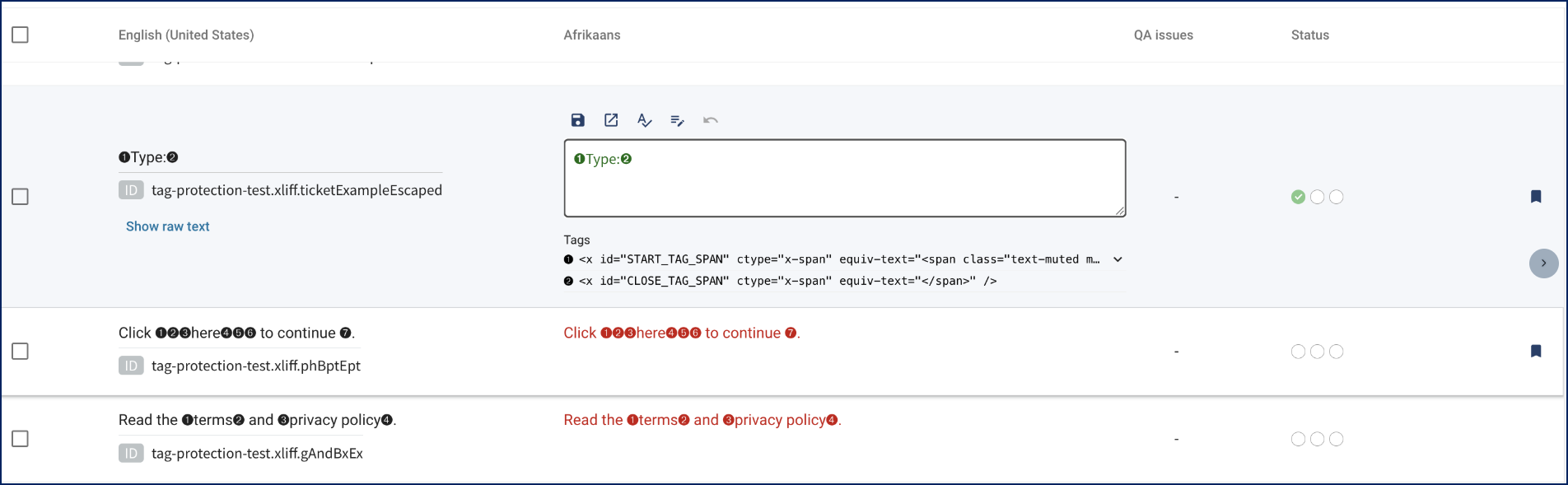
Original tags are displayed in the Rigi Editor below the target language text fields.
Translators can delete tag badges, but will be warned with appropriate error messages.
Translators can switch between raw text mode and tag recognition mode.
Original tags are copied along with the badges.
To protect HTML tags and variables, perform the following steps:
In the project menu, select Settings > Translation.
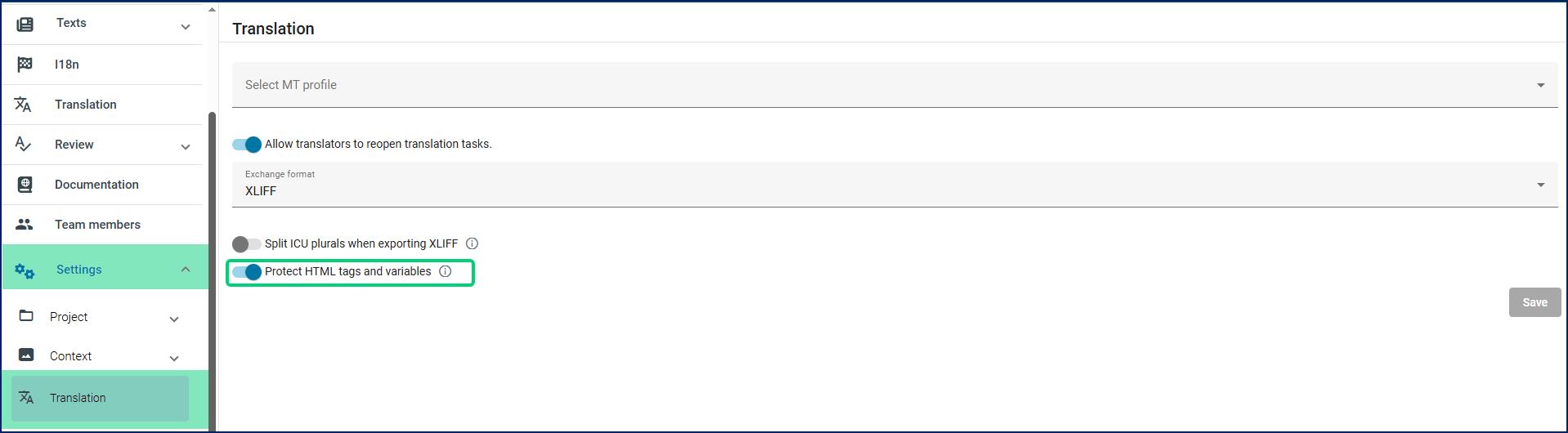
Switch on the Protect HTML tags and variables toggle.
Save the changes.