Project settings – URLs
Several versions of an application can be hosted on different servers. You can manage all the URLs in the project menu Settings > Context > URLs section.

To add a URL, click the Add URL button in the top right-hand side corner. The Add URL popup will be displayed.
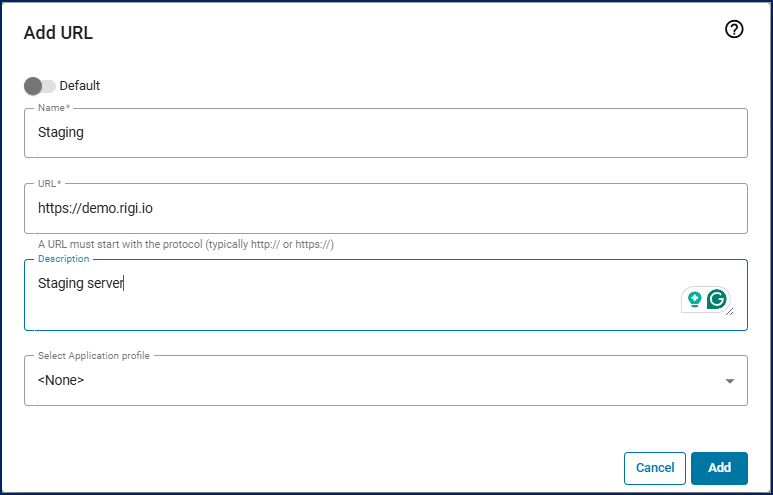
(Optional) Make the new URL the default one.
Enter a name for this URL.
Enter the URL.
(Optional) Enter a short description.
(Optional) Select the required application profile containing the Rigi script settings. For details, see the Configure application profiles guide.
To quickly check the selected application profile details (Rigi script settings, invisible and overlay classes), click the
 icon next to the Select Application profile field.
Click the Add button.
To mark a URL as a default one, hover over it and click the
 icon. The default URL will be pre-selected when you open the dialog to capture HTML previews for web applications.