Add an entry to a continuous project
Note
In XTM, a continuous project is a project where the source files are updated with newer versions or new source files are added.
You can choose to add content to a continuous project if these criteria match:
language pair
XTM Cloud Customer is the same as in XTM Cloud
XTM Cloud Template settings are the same as the project in XTM Cloud
The new job will be added to the Translation queue under the name of the continuous project and will be visible in an already existing XTM Cloud project under Files.
Open the Active XTM projects (optional) drop-down to add an active project.
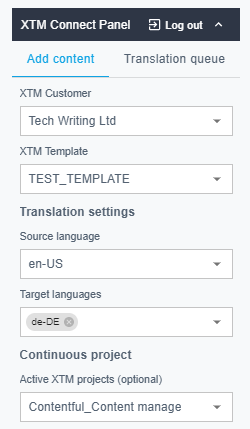
Add an entry to continuous project

XTM view